
The delivery app for your in-house drivers.
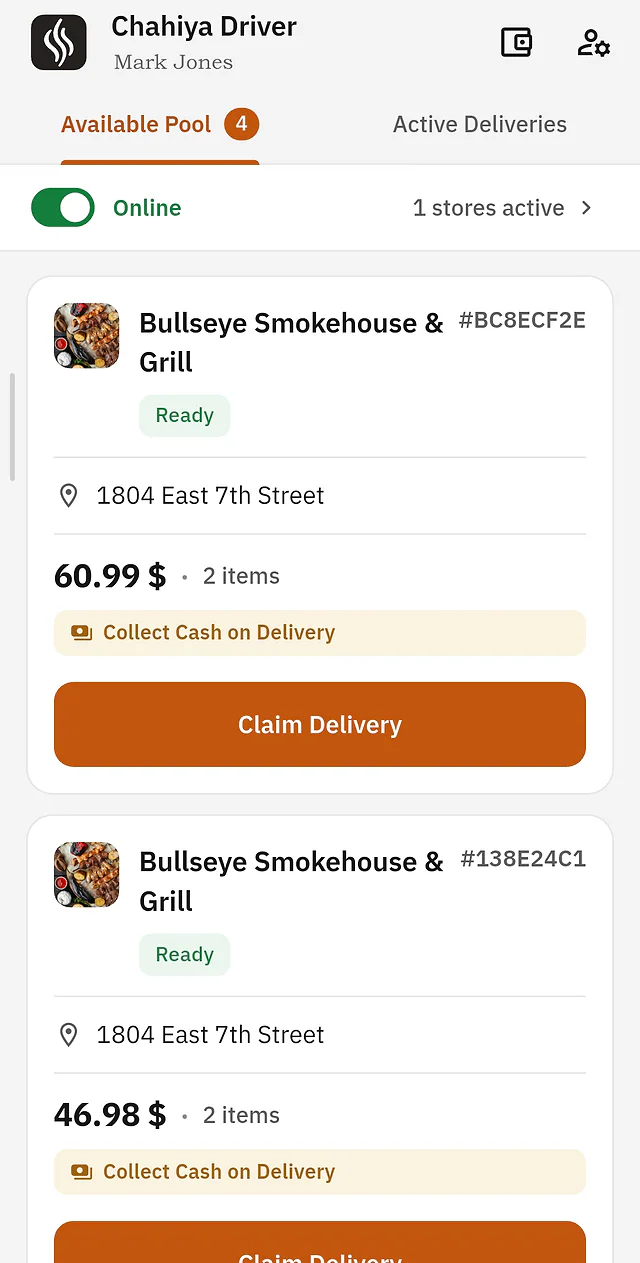
Dispatch orders straight to couriers' Android phones, navigate with Google Maps or Waze, lock picked-up orders, and track every cent of cash on delivery until end-of-shift settlement.
Version 1.0 · Android 8.0+ · ~75 MB
Getting started as a courier
Ready to deliver in 3 quick steps
Download & create account
Install the APK on any Android phone and sign up with your email to create your driver account.
Accept restaurant invite
The restaurant enters your email or Courier ID in their dashboard to invite you. Open your app, tap accept, and your account is linked.
Go on duty & deliver
Turn on duty mode to start receiving delivery dispatches from that store, navigate with Google Maps or Waze, and collect cash.
Courier & Fleet Capabilities
Built specifically for restaurant delivery rounds
Repeating audio sirens
Loud alert chimes repeat until an incoming dispatch is accepted, so drivers never miss orders while riding or driving.
One-tap GPS navigation
Launch directly into Google Maps or Waze with precise customer coordinates for fast turn-by-turn routing.
Live customer tracking map
High-accuracy background telemetry lets diners see their courier approaching live on a map in their browser.
Anti-theft COD cash ledger
Keeps an exact running balance of cash collected on delivery, calculating the exact amount to hand over at shift end.
Swipe-to-confirm sliders
Smooth haptic swipe sliders prevent accidental pocket taps when picking up food or marking orders delivered.
Multi-store neighborhood mode
Deliver for multiple local restaurants on Chahiya in the same area with strictly separated cash balances.
Frequently Asked Questions
Courier & installation questions
Which phones are compatible with Chahiya Driver?
Any standard Android smartphone running Android 8.0 or newer (Samsung, Xiaomi, Oppo, Realme, Google Pixel, etc.).
How do couriers get access to their restaurant orders?
The courier registers an account in the Chahiya Driver app with their email. The restaurant manager then enters the driver's email or Courier ID in the Chahiya Dashboard to send an invite. Once the driver accepts the invitation inside their app, they immediately start seeing delivery orders from that store.
How does Cash on Delivery (COD) tracking work?
When an order is marked as paid in cash, the exact amount is added to that driver's active shift wallet. At the end of the shift, the manager and driver review the exact total to settle the cash drawer.
Does the app consume heavy mobile data or battery?
No. The app uses lightweight background location telemetry that activates only during active shifts and throttles automatically when stationary.
APK Download Available Soon
Dispatch orders straight to couriers' Android phones, navigate with Google Maps or Waze, lock picked-up orders, and track every cent of cash on delivery until end-of-shift settlement.